The Cleanest Way to Collect Contacts.
EasyEmails automatically extracts and organizes email addresses from any webpage while you browse. No clicking, no friction, just results.
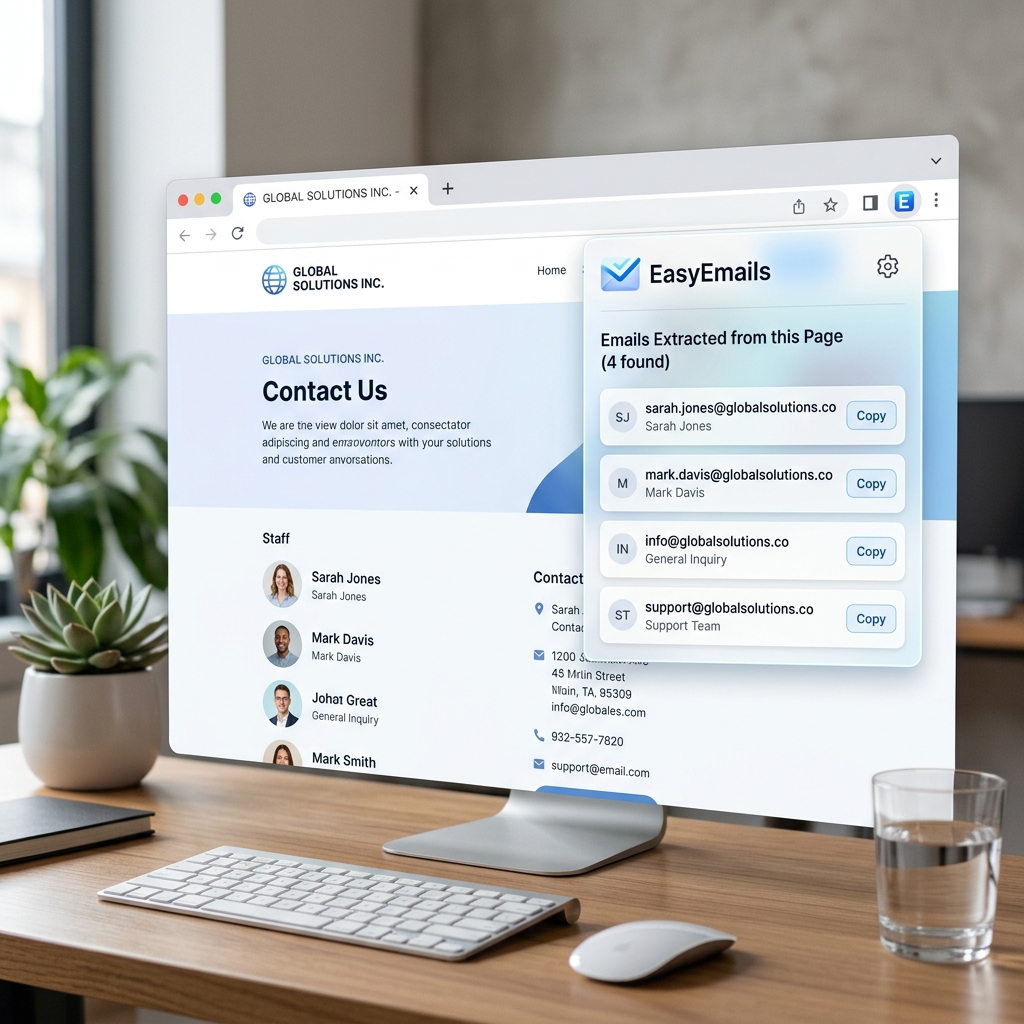
Built for Speed and Accuracy.
Designed for recruiters, sales professionals, and researchers who need reliable contact data without the manual work.
Passive Extraction
No clicking required. EasyEmails automatically scans pages as you visit them, catching emails in text and mailto: links.
Real-Time Detection
Our smart observer detects new emails instantly on dynamic sites, even as you scroll or load more content.
Smart Deduplication
Keep your lists clean. We automatically filter out duplicates, ensuring you only see unique, verified addresses.
Persistent History
All extracted emails are saved locally. Close tabs or your browser - your collection stays right where you left it.
One-Click Export
Export your entire history to a clean CSV file instantly. Ready for your CRM, spreadsheet, or outreach tool.
Clean Pro Design
A minimalist interface inspired by modern design principles. Soft glassmorphism and crisp typography for a premium feel.
Frequently Asked Questions
Everything you need to know about EasyEmails.
Is it really private?
Yes. EasyEmails stores 100% of your data locally in your browser's IndexedDB. We never see your data, and no servers are involved.
Does it work on LinkedIn?
Absolutely. It's optimized for professional networks like LinkedIn, Gmail, and Twitter, catching emails even in dynamic lists.
What is "Passive Extraction"?
It means you don't have to click anything. As you browse, EasyEmails silently identifies emails and adds them to your list in the background.
Loved by Professionals
Join over 5,000+ recruiters and sales pros who use EasyEmails daily.
"EasyEmails turned my lead generation from a chore into a breeze. The CSV export is a lifesaver for our CRM."
- Sarah K., Talent Acquisition
"Clean, fast, and stays out of the way. I've tried many extractors, but this is the only one that feels like a native tool."
- Mark R., SaaS Sales Lead
"The fact that it's all local makes it an easy sell for our security-conscious legal team. Highly recommended."
- Alex D., Research Analyst
Privacy First, Always.
EasyEmails was built with a "Privacy by Design" philosophy. Your data stays yours.
Compliance & Ethics
EasyEmails is fully compliant with the CAN-SPAM Act and Google's Limited Use Policy. We do not support or enable mass-scraping of unauthorized data. Our tool is designed for professional research and high-intent outreach.
- ✓ 100% Local Storage: No data ever leaves your browser. All extractions are stored securely on your machine using IndexedDB.
- ✓ No Tracking: We don't track your browsing history or use third-party analytics. No pixels, no cookies, no spying.
- ✓ Minimal Permissions: We only ask for the permissions necessary to find emails on the pages you visit. Nothing more.
Lumière Trust & Software Security Commitments
In strict compliance with the **Google Publisher Policies regarding Malicious and Unwanted Software (answer/11035931)**, we guarantee that all our browser extension downloads satisfy the highest standards of safety, digital transparency, and end-user control.
🔒 Safety & Sandboxing
Our browser extensions run inside a highly restricted, sandboxed Chrome runtime environment. We strictly adhere to Google's Developer Guidelines & Manifest V3 security models to prevent unauthorized system modifications.
🚫 Zero Adware or Bundles
Lumière software never bundles hidden third-party toolbars, search hijackers, background registry overrides, or alternative installers. You get exactly what you choose to install, with zero unwanted extras.
📁 Zero Telemetry / Local-First
We do not collect, read, transmit, or monetize your keystrokes, clipboard inputs, or template data. All snippet values and statistics reside exclusively inside your machine's IndexedDB storage pool.
⚡ Instant & Clean Removal
You can remove our extensions at any time in less than 10 seconds. Uninstallation completely wipes all local configurations and database paths, ensuring zero residual background services remain.
Simple 3-Step Extension Removal Instructions
To cleanly uninstall and wipe the extension from your browser:
- Click the jigsaw puzzle icon (🧩) next to your URL bar in Chrome's top-right toolbar.
- Locate the **EasyEmails** extension card and click the three-dot menu (⋮) next to its name.
- Select **"Remove from Chrome..."** to instantly delete the extension and clean all associated local directories.
For our complete terms of usage and software licensing statement, please review our comprehensive End User License Agreement (EULA).
Ready to Supercharge Your Outreach?
Join thousands of professionals who save hours every week with EasyEmails.
Add to Chrome - It's Free